Using a Funeral Program Template
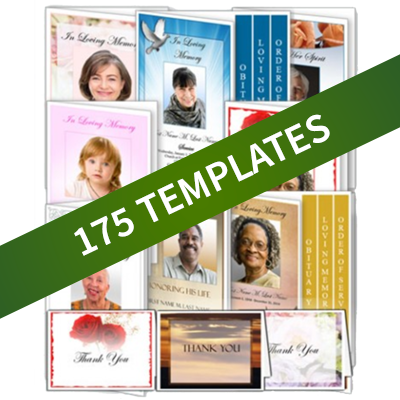
Funeral program templates are pre-formatted documents that help you create a funeral program or memorial service bulletin. These templates come in a variety of computer software formats, including Microsoft Word or Publisher, Apple Pages and OpenOffice. Elegant Memorials sells a variety of funeral program templates that work with Word, Publisher or Mac Software and have a variety of layouts and paper sizes.
Select a Funeral Program Template Design and Layout
The first step in choosing a template is to pick a design. There are a wide range of designs and styles to choose from. Designs include traditional funeral themes such as religious, floral, and landscape as well contemporary styles like occupational, and hobby themes. When choosing a design, consider your loved one's taste. You may choose a theme based on a favorite color or flower or a favorite place (such as the beach or mountains). See our article on selecting a template design for more information. You can also look at examples of funeral program templates and sample funeral programs.
Once you have decided on a design, you will need to choose a layout. The layout controls how the information is displayed on the page, and also the paper size. Funeral program templates can come in a wide variety of sized and layouts, including bifold, trifold, graduated fold, large bifold and small card format. Paper sizes can range from small 4"x5" cards, letter sized, legal sized or tabloid size. You will need to consider how much information you plan to include in your program to determine which size you may need.
You Can Quickly and Easily Use Our Funeral Program Templates to Create Programs
Select a Template from Our Many Designs

Purchase and Download Template Immediately
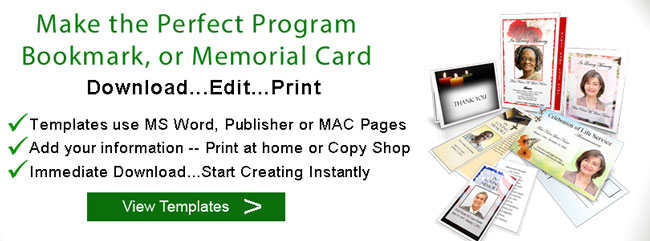
Edit and Print Template in MS Word, Publisher or Mac Pages
Decide what Information you will include in your Program
Once you've decided on a theme, consider the information that you will include in your funeral program. Information commonly included in funeral programs includes the order or service (or list of events of the ceremony), funeral poems or scriptures, photographs (such as a cover photo or a photo collage), acknowledgements, and a detailed obituary or biography. If you are going to include a lot of information, choose a large template, such as 8" x 14" tri-fold layout. If you are just including basic information, select an 8 1/2" x 11" bi-fold layout. For more information, see our article on what goes in a funeral program.
Purchase a Funeral Program Template
Now that you know the design and layout that you want and how much information you will have, you can choose a template. Make sure that you have the necessary software on your computer to edit your funeral program template. You can find templates formatted in Microsoft Word, Publisher and Mac formats such as Pages. Make sure that you know what sections of the template are editable. Elegant Memorials features text boxes that are fully editable, and you also change certain design elements such as text and border colors and sizes.
Download, Edit and Print
Once you've selected your template, you can download and begin editing. When you are ready to print, ensure that you have enough ink on hand to print all of your funeral programs. Templates that are very color intensive may use a lot of ink. Also, allocate enough printing and folding time. For more details on printing your finished program, see our article on printing a funeral program.
Save Time and Money by Using our Templates
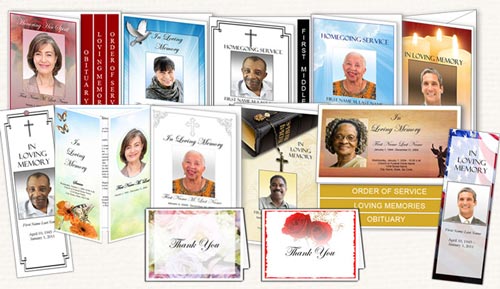
- Professional Designs formatted using Microsoft Word or Publisher or MAC Pages
- All wording can be changed, including the program title
- Flexible Designs and Layout
- Instant Download and Live customer support
Change your cover photo
-
Click in on "placeholder" cover photo and delete text.
-
With Cursor still in placeholder photo box, Go to Insert | Picture | From File on the Word Main Menu. Navigate to where your picture is located. Click Insert.
-
Photo should be inserted in placeholder box on front cover. Depending on the size of your picture, you may need to re-adjust text or image.
Customize your text
All text is completely customizable in the funeral program template, and is contained in textbox objects. To change text, simply click inside the textbox, remove the unwanted text, and type new text. You may also cut and paste from other documents, however, be aware that the text may contain formatting (fonts, color, sizes) from the original file.